Mobile · UX/UI

MaxOptra Scan & Load

Rebuilding the scanning app to be faster, calmer, and simpler.

Role
UX / UI Designer
Platform
Mobile, iOS & Android
Environment
Warehouse / loading bay
Users
Loading staff + drivers
Constraints
One-handed, low light, connectivity
01 The Problem

Too many screens.

Loading staff and drivers are working under real pressure, time-critical, one-handed, in poor lighting, with intermittent connectivity. Yet the original scanning prototype was asking them to navigate a complex, branching interface with too many decisions before a single item could be scanned.

On the surface it looked comprehensive, but in practice it created the opposite of confidence: too many routes through the UI, error states that felt like dead ends, and no clear ‘spine’ to the experience.

It needed to work like the warehouse, not like software.
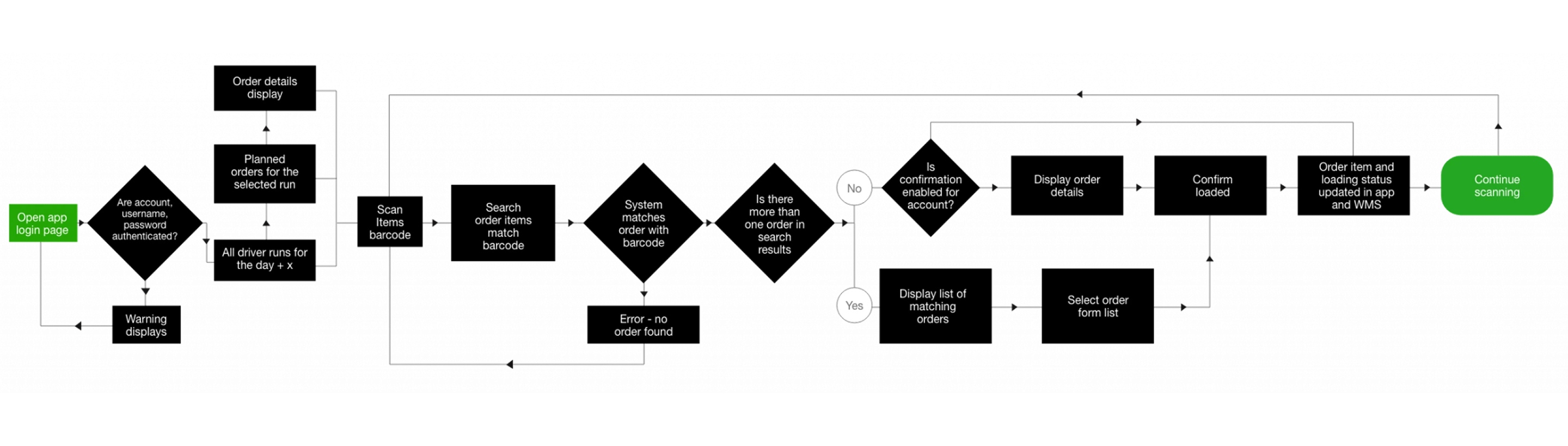
Original prototype flow
02 Discovery

Three things research kept finding.

I ran structured conversations with operations managers and warehouse team leads, asking them to walk me through a typical load cycle and describe where things went wrong. Three themes came up in almost every session:

01

Typing is the enemy

Manual entry in a warehouse is slow and error prone. Scanning had to be the default with typing as genuine last resort.

02

Users want the next job, not a menu

People arrive knowing what they need to do. Setup steps before scanning were friction with no value.

03

Feedback must be instant

Any gap between action and confirmation creates doubt. Doubt leads to rescanning, which creates duplicates, which causes misloads.

I also reviewed competing warehouse scanning apps. Most leaned on the same branching-path model, but the better-performing tools shared one thing: they made the scan action the centre of the app, with everything else as supporting context.

03 The Design Decision

One simple loop.

The design direction became clear: stop trying to support every scenario with separate screens. Reduce the entire experience to one essential loop and make exceptions part of the flow rather than dead ends.

SELECT RUN  →  SCAN ITEM  →  CONFIRM STATUS  →  PROGRESS TO NEXT

I tested two structural approaches:

Option A
Flat task list with inline scanning
All available jobs in a flat list, user chooses which one to work on. Flexible in theory, but research showed staff under time pressure don’t want to browse. They wanted the app to tell them what’s next.
Option B
Guided single loop with fallback search
Presents the current/next job by default, with search as a deliberate fallback when scanning isn’t possible.

We moved forward with Option B. The structured loop reduced cognitive load at the moment of highest time pressure, and search as a fallback reflected how users behaved in observation sessions.
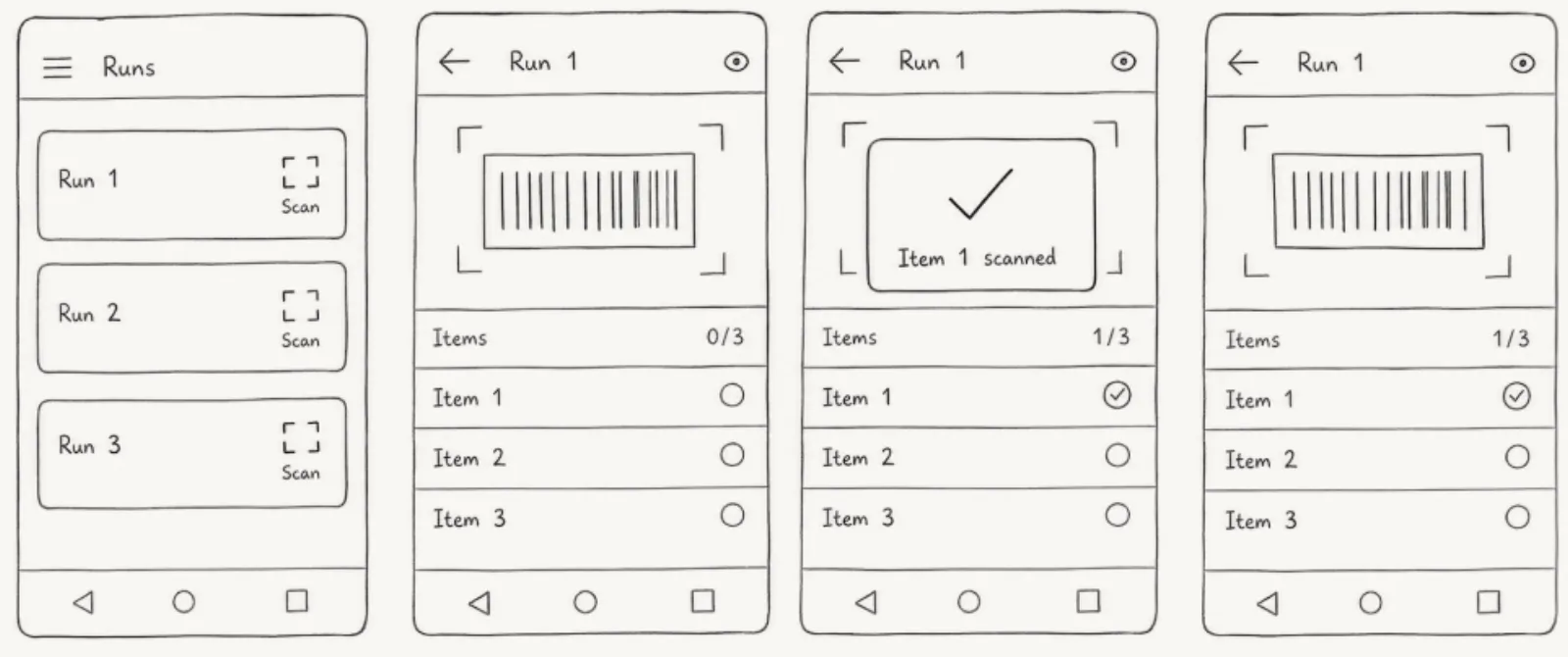
Lo-fi wireframes, critical path
04 What Changed

Three structural changes.

Change A
Three entry points replaced the maze
Home (choose or resume a job), Scan (always default, always one tap away), Search (deliberate fallback). This removed the “Where do I go next?” confusion and reduced cognitive load.
Change B
Four scan states. No ambiguity.
Early wireframes used colour alone, but stakeholder feedback flagged this as unreliable in low-light environments. I moved to colour + iconography + plain-language labels so any outcome could be read briefly, even without colour perception.
Change C
Progress is always visible
Stakeholders consistently asked: “Am I nearly done?” and “Is there a problem item blocking dispatch?” Progress became a persistent, glanceable element, not something users had to navigate to.
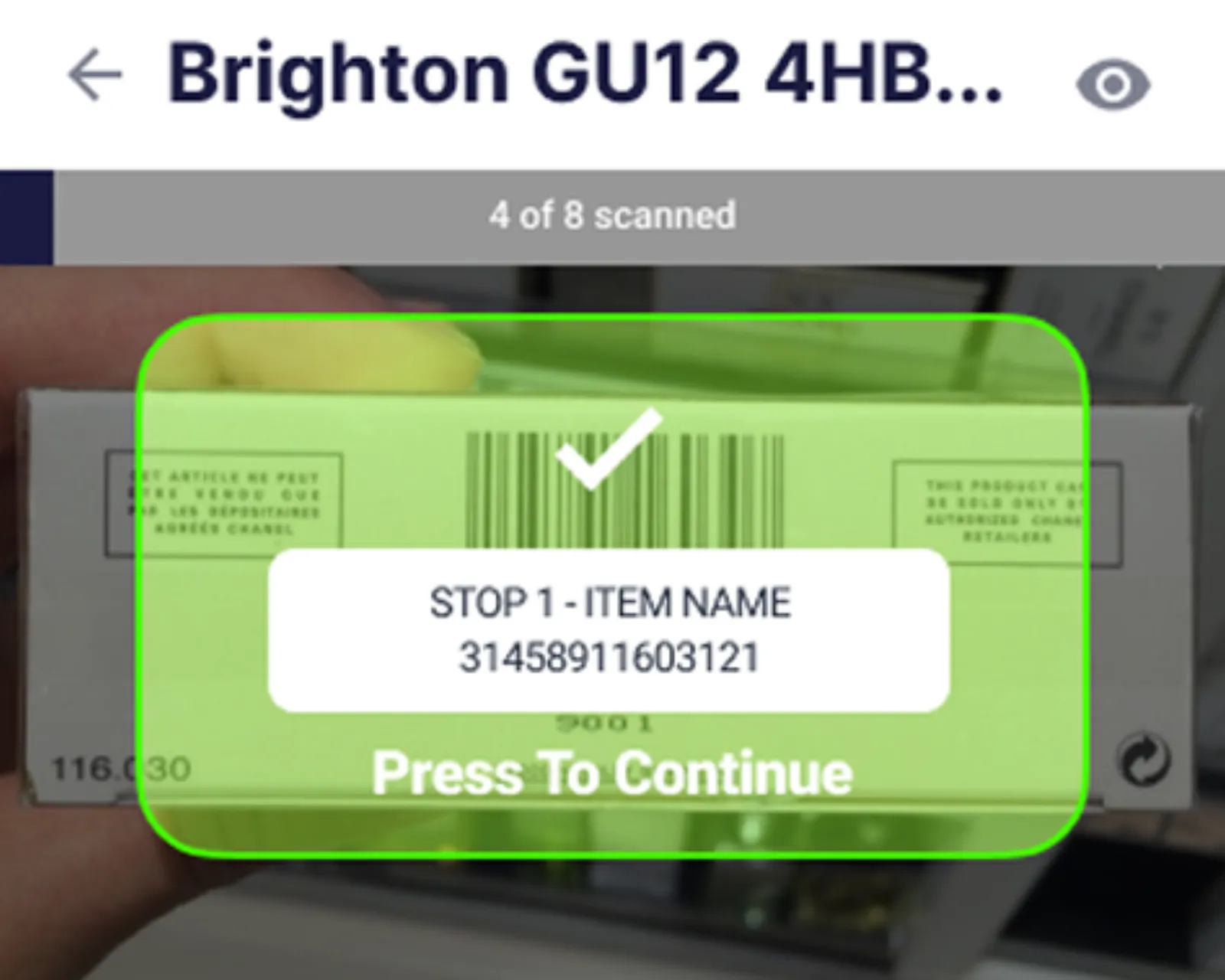
✓ Success

Confirm and advance.

↩ Already scanned

Recoverable, no dead end.

? Not found

Guided next step.

⊕ Multiple matches

Force a deliberate choice.

Scan success state
Scan success state
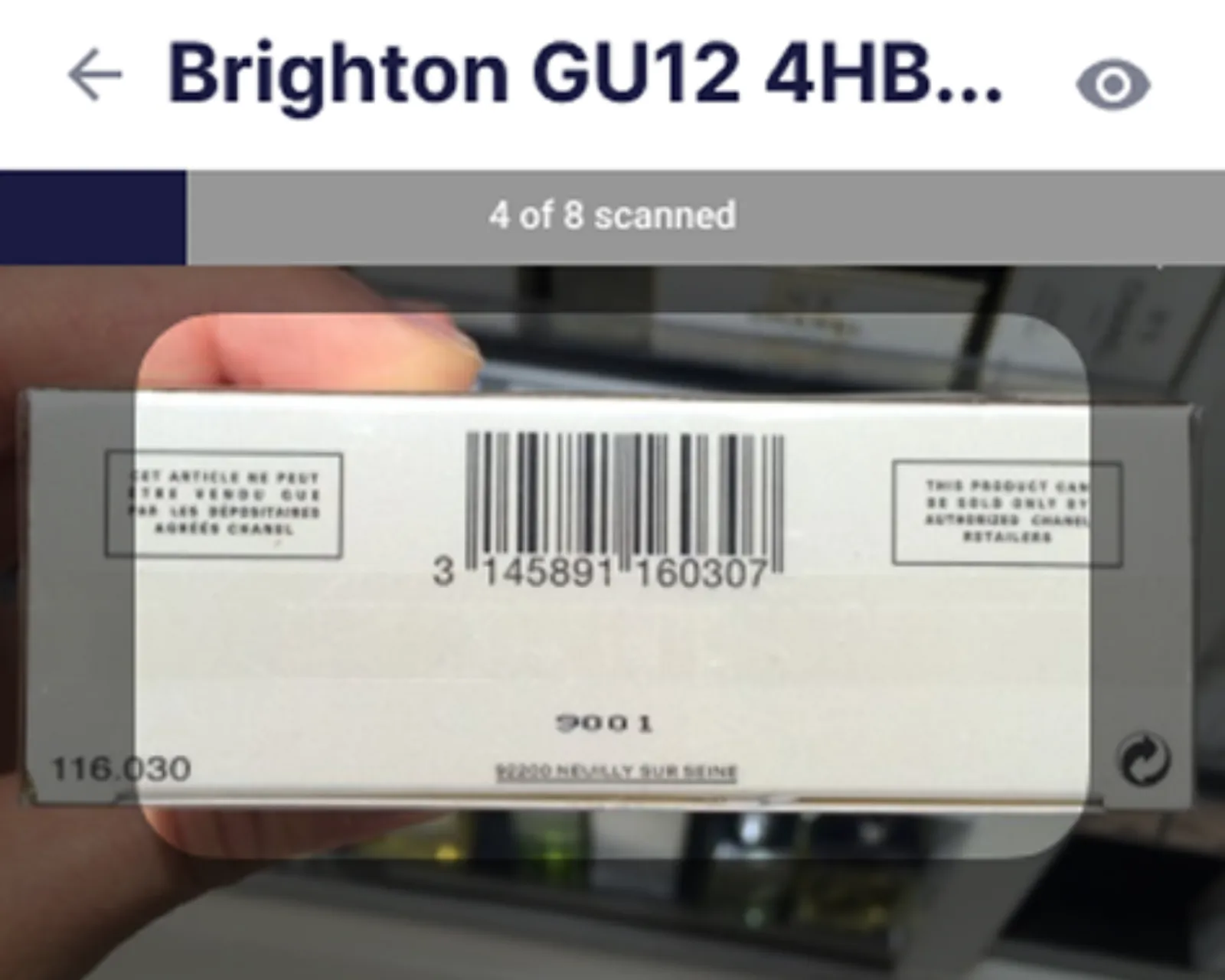
Persistent progress view
05 Before / After

Same task. Completely different experience.

Before

Navigate setup screens before scanning anything. Hit an error, hit a dead end. Progress invisible. Every exception required supervisor input or a restart.

After

Open the app, scan. Confirmation is immediate. Progress is always on screen. Every error has a guided path out. The app stays calm even when the warehouse doesn’t.

06 Exception Handling

Every edge case was planned and designed.

Warehouses are messy. The UX had to stay calm when things went wrong. I asked operations managers to describe the most common moments where the current system failed them or forced a workaround, and designed specific recovery paths for each:
Edge 01
Offline / intermittent connectivity
Continue scanning with clear messaging. Queue scans for sync when connection returns. No false promises.
Edge 02
Session conflict
Recover without losing scanned progress. A login conflict at shift start shouldn’t wipe thirty scans.
Edge 03
Item not found / unreadable barcode
Guided next step rather than just an error, search as fallback, or flag for manual resolution.
Edge 04
Already scanned / duplicate
Block the duplicate, tell the user clearly, give them a way forward.
Edge 05
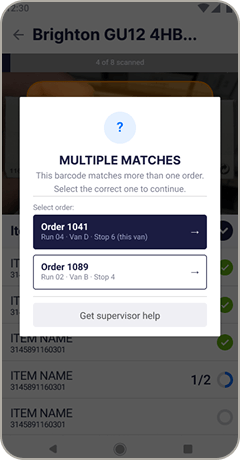
Barcode matches multiple orders
Force a deliberate choice. Silent errors assigning to the wrong order are worse than a pause.
Edge 06
Poor scan conditions
Manual search as a real fallback. Fast enough to use under pressure.
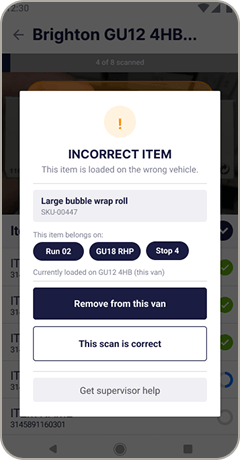
Edge case comparison , already scanned state 4a vs 4b
Both handle the same root cause. Different system knowledge. Different response required.
State 4a, Multiple matches modal
State 4a , Multiple matches
System cannot determine which order. Driver must decide.
vs
State 4b, Wrong van modal
State 4b , Wrong van
System knows exactly where it belongs. Driver confirms removal.
07 Outcomes

What the redesign addressed.

Outcome 01

Reduced cognitive load

Users move through a single predictable loop instead of branching decisions.

Outcome 02

Increased scanning speed

Scan is the default action: minimal typing, minimal taps.

Outcome 03

Improved operational safety

Standardised confirmation states prevent silent errors and misloads.

Outcome 04

Stronger trust

Predictable exception recovery and clear, honest feedback at every step.

Metrics to validate scan task completion rate, misload reduction, time from first scan to dispatch-ready, and error recovery rate.

08 What I Learned

Calm is a design choice.

01
Simplicity is a form of safety.
A complex UI creates hesitation, and hesitation in a warehouse creates mistakes.
02
Research shapes architecture.
The core loop only became obvious once I understood the real decision-making on the warehouse floor, it wasn’t visible in the prototype.
03
Edge cases are where trust is earned.
Handling offline states, unreadable barcodes, and duplicate scans with honesty and clear recovery paths is what separates a prototype from a production tool.
Try it yourself

View the prototype

Open prototype →
Available for new projects

Let's work
together

Currently taking on new briefs for design, UX, or motion.